Linking External Wallets
You don’t need this to use Nuts — the wallet Nuts creates for you at sign-in (see Wallet Overview) works for everything on its own. Linking an external wallet is for people who’d rather use a wallet they already have.
Connecting an EVM wallet (MetaMask and others)
- Open the Wallet tab and find the Connected Wallets card.
- Tap Connect external wallet.
- Pick your wallet from the connect modal and approve the connection and sign-in request from your wallet app.
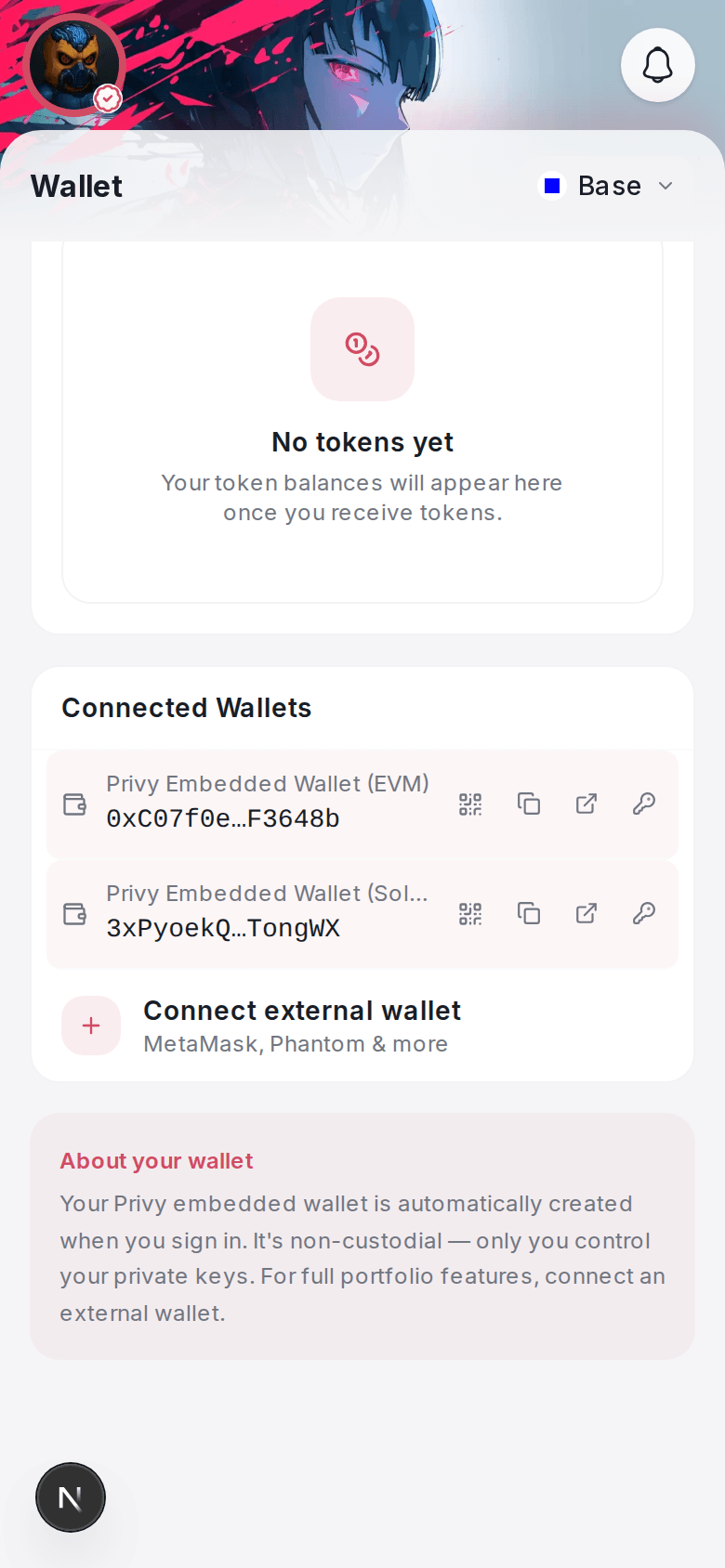
This works right in the app — no need to leave Nuts.
Connecting a Solana wallet (Phantom and others)
- From the same Connected Wallets card, tap Connect Solana wallet.
- This opens a Nuts web page in an in-app browser, where you can connect Phantom, Solflare, or another Solana wallet.
- Once connected, it shows up back in your app’s Connected Wallets list.
Once linked
Linked wallets show up in your Connected Wallets card labeled with their wallet brand. Linking doesn’t replace your Nuts wallet or change which wallet your everyday sends, swaps, and payments use — it’s an additional connected account.
On the web
The web app has a single Connect external wallet button that supports both EVM and Solana wallets (MetaMask, Phantom, Trust Wallet, Solflare, and others) in one step — no separate flow for each.