Cashtags
A cashtag is a $TICKER written anywhere in a post — like $SOL or $BONK. Nuts detects it automatically and shows a compact price card underneath the post.
Writing a cashtag
Just type $ followed by a ticker (2-10 letters) anywhere in your post text — no special formatting needed.
As you type, a dropdown suggests matching tokens (sorted by market cap, with a chain or exchange badge) so you can pick the exact one you mean instead of leaving it to guess. Picking from the dropdown locks in the exact token, which is safer than leaving a bare ticker for Nuts to resolve.
The chart card
Once posted, a cashtag renders as a card with the token’s logo, name, chain badge, current price, 24-hour change, and a small chart.
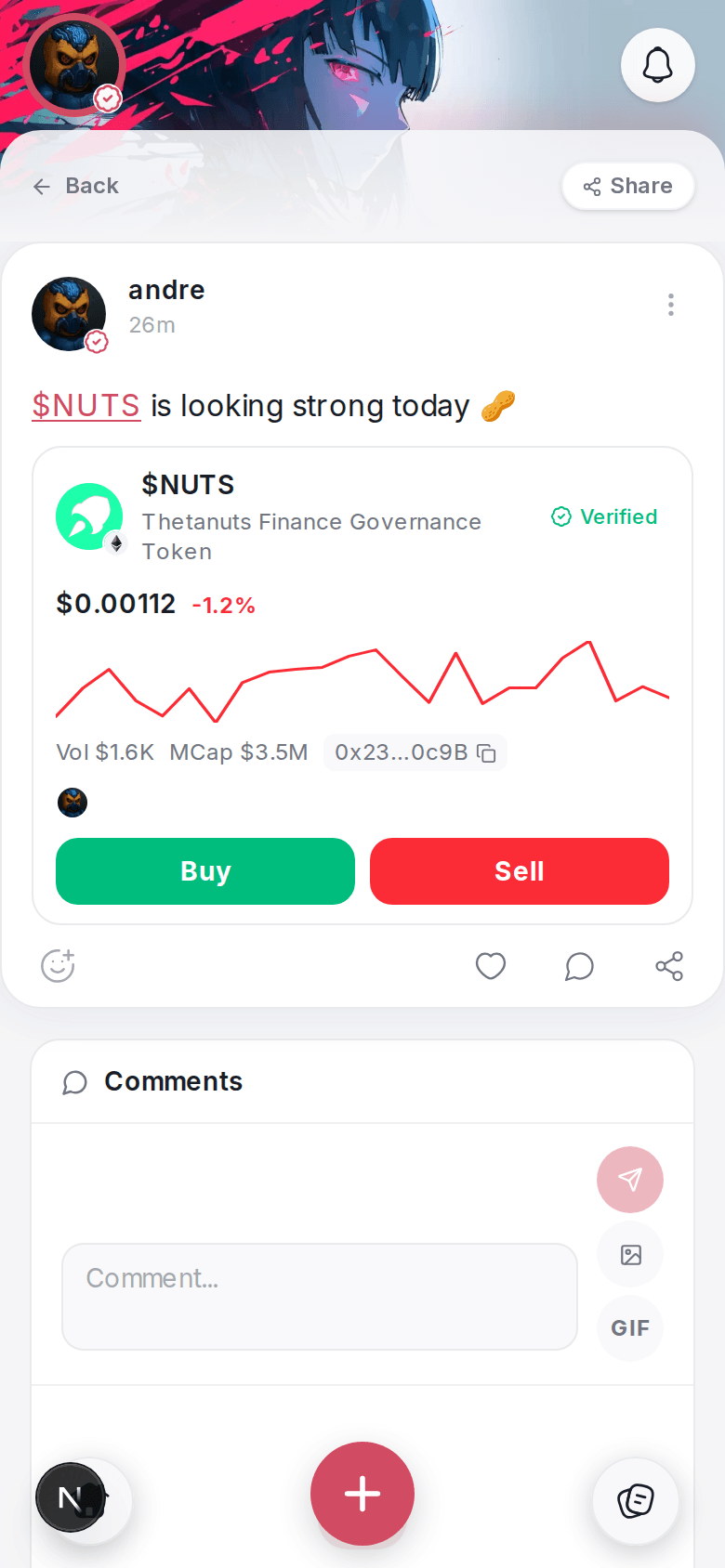
Buy and Sell
Most cashtag cards include Buy and Sell buttons. Tapping one opens a swap sheet — same underlying swap as Swapping & Bridging, signed with your own Nuts wallet, with Nuts taking its usual 1% fee. Before enabling Buy/Sell, Nuts re-checks the token on-chain to make sure the card matches a real, currently-resolvable token — this protects you from a post trying to disguise a scam token behind a familiar-looking cashtag.
Cashtags work across Solana and several EVM chains (Base, Ethereum, BSC, and others) — the chain badge on the card tells you which network you’d be trading on.
Stock tickers
A handful of tokenized-stock tickers (things like SPYx or TSLAx) are also tradeable through the same card, when the underlying token exists on Solana. Other stock tickers you tag show price info only, with no Buy/Sell — Nuts will label those clearly.
On the web
Cashtag chart cards and Buy/Sell both work the same way on the web app.